
How to use your T4 Briza Callfinder®
To use the Callfinder®, hold it like a pen. Press the Callfinder® against the book’s cover to activate the sound file. Touch the photos with the tip to hear its sound. If you hear a “beep”-sound, a sound isn’t available for that photo.
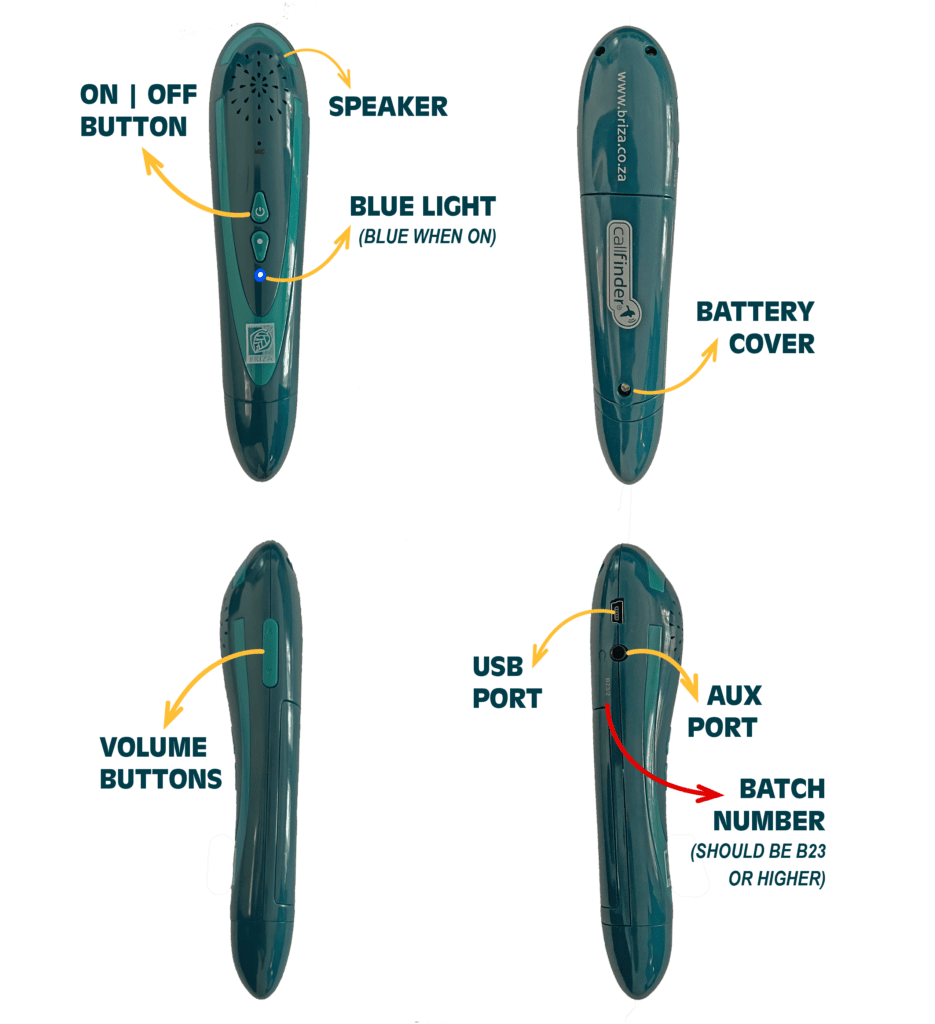
- Turn on: Hold in the power button for up to 10 seconds seconds until the blue light goes on and you hear a sound.
- Turn off: Hold in the power button for up to 10 seconds seconds until you hear a sound. The Callfinder® will automatically switch off after 3 minutes of inactivity.
- Controlling the volume: Press the up button (↑) to increase volume. Press down (↓) to decrease volume.
- To record: Press the recording button to record. Start recording once the “start recording”-sound has played.Press the recording button again to end recording, and the “end recording”-sound will play.To listen to the recording, hold the same button in until you hear “play recording”.
- USB Port: Use this port to connect your Callfinder® to your computer. You will need to connect your Callfinder® to your computer when uploading or updating sound files or when you would like to listen or view your recordings.
- Aux port: You can plug in a set of earphones or a connect a speaker with an auxiliary cable.
Take note
- Do not press more than one button at once.
- Up to ten recordings can be recorded and stored on the Callfinder®, which has about 100 minutes of storage capacity.
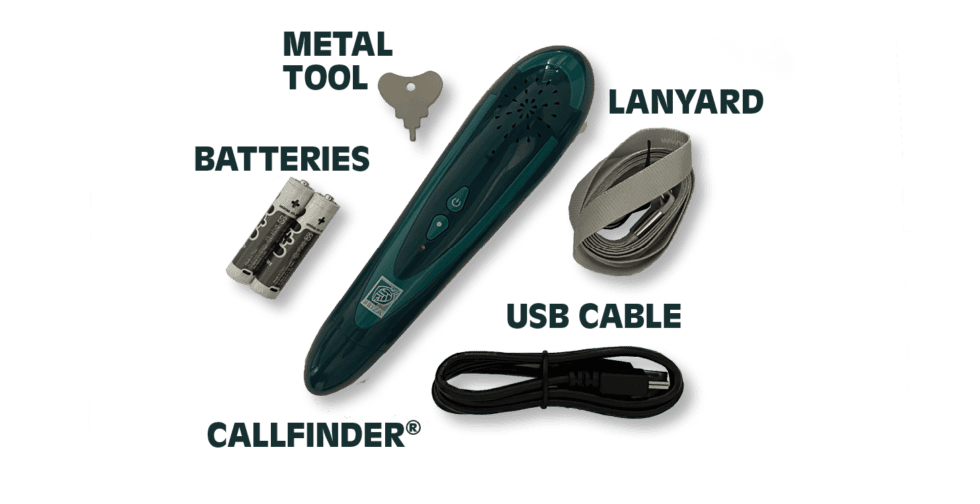
- This Callfinder® is not rechargeable. It is powered by AAA-batteries.
- Please note that you cannot plug in earphones that have an alternative jack, for example iPhone earphones.
For any additional queries, feel free to contact us via WhatsApp or Email, by clicking the icons below.
-
Sale!
Sappi Birds of South Africa Enhanced Edition
Price range: R320,00 through R1490,00 Select options This product has multiple variants. The options may be chosen on the product page -
Sale!

Sappi Voëls van Suid-Afrika Opgedateerde Uitgawe
Price range: R320,00 through R1490,00 Select options This product has multiple variants. The options may be chosen on the product page -
Briza Callfinder® / Klankleser®
R1050,00 Add to cart